Introduction
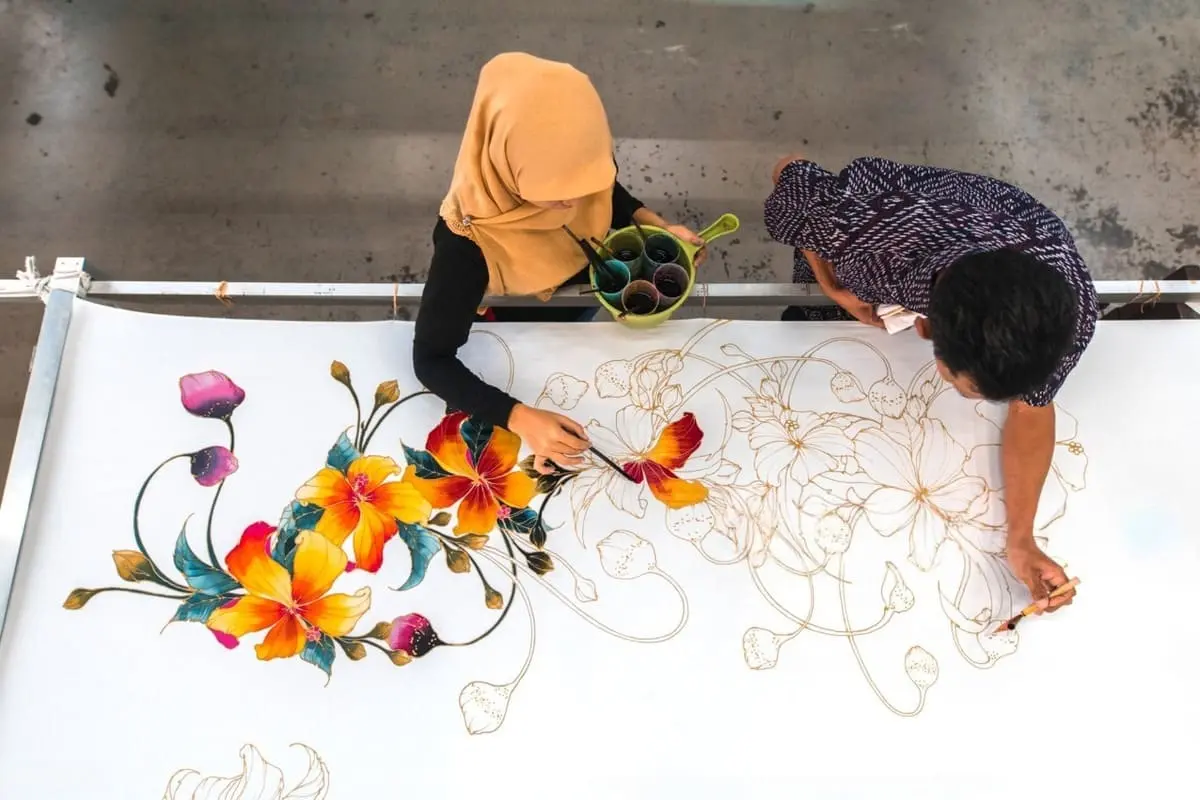
Creating beautiful custom textiles starts with high-quality artwork. Whether you are designing fabric for fashion, home décor, accessories, baby products, or creative projects, preparing the right file is one of the most important steps in achieving professional printing results.
Proper artwork for fabric printing ensures that your design maintains sharp details, accurate colors, and consistent patterns after being transferred onto fabric.
Unlike traditional textile printing methods that often require complicated setup processes, modern digital fabric printing allows designers and businesses to print detailed artwork directly onto different fabrics. However, the final print quality depends heavily on how the artwork is prepared before production.
In this guide, you will learn:
- How to prepare artwork for fabric printing
- The best file formats for textile printing
- Recommended image resolution and size requirements
- Color settings for fabric printing
- How to create seamless patterns
- Common artwork mistakes to avoid
For a complete overview of the entire custom textile production process, explore our Custom Fabric Printing Guide.
What Is Artwork Preparation for Fabric Printing?
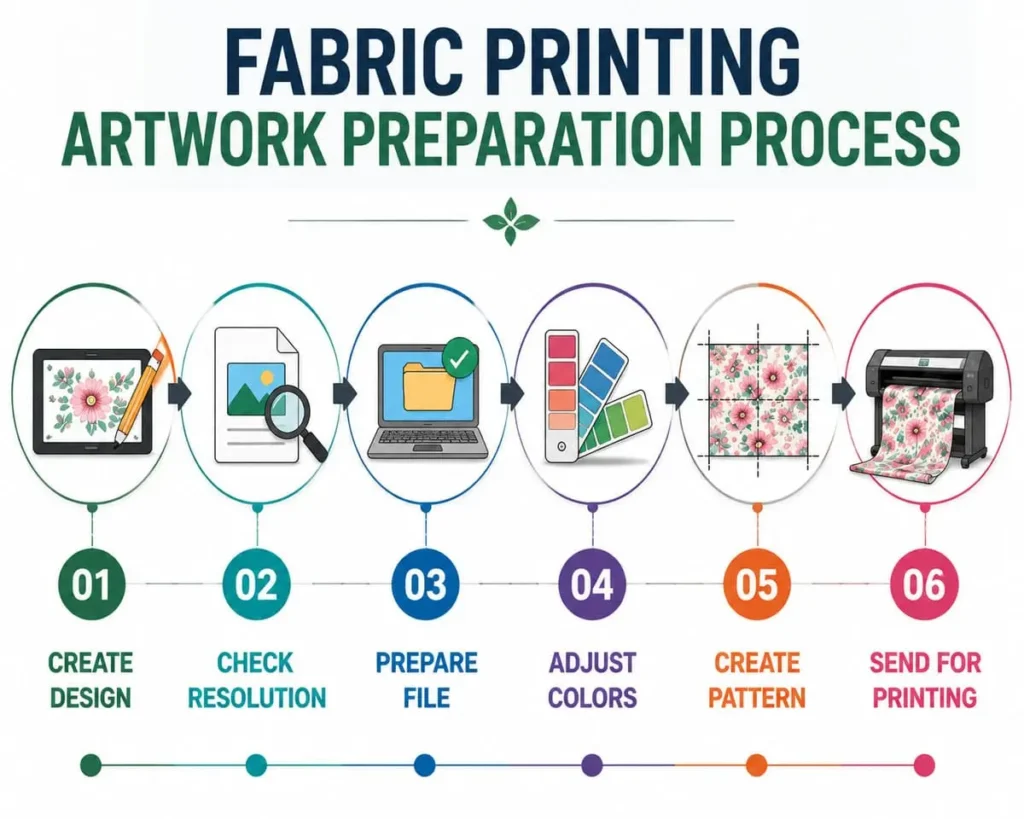
Artwork preparation for fabric printing is the process of adjusting digital designs so they are suitable for textile production.
A fabric printing file needs to consider several factors, including:
- Image quality
- File format
- Color settings
- Pattern repeat
- Fabric type
- Final product application
A design that looks perfect on a computer screen may appear different when printed on fabric because textiles absorb ink differently compared with paper or digital displays.
Professional preparation helps ensure that your artwork produces consistent and high-quality printed fabric.
Why Artwork Quality Matters in Fabric Printing
High-quality artwork is essential because fabric printing enlarges designs across large textile surfaces.
Poor-quality files may cause:
- Blurry images
- Pixelated patterns
- Incorrect colors
- Loss of small details
- Uneven printing results
For example, a small logo that looks clear on a website may become unclear when printed repeatedly across several meters of fabric.
Preparing your fabric printing artwork correctly helps maintain:
✓ Sharp details
✓ Smooth color transitions
✓ Accurate patterns
✓ Professional appearance
✓ Better production results
Step 1: Create or Select Your Fabric Design
The first step is creating a suitable design for your fabric project.
Your artwork can include:
- Original illustrations
- Logos
- Photographs
- Hand-drawn designs
- Repeating patterns
- Abstract artwork
- Brand graphics
When designing fabric, always consider the final application.
For example:
| Application | Design Consideration |
|---|---|
| Clothing | Pattern scale and comfort |
| Home décor | Larger repeating designs |
| Baby products | Soft colors and simple patterns |
| Bags | Strong graphics and logos |
| Quilting | Detailed repeating motifs |
A design created for fabric should not only look attractive but also work well when applied to a textile surface.
Step 2: Choose the Best File Format for Fabric Printing
One of the most common questions is:
What file format is best for fabric printing?
Different file formats are suitable for different types of artwork.
Recommended Textile Printing File Formats
| File Format | Best Use |
|---|---|
| AI / EPS | Vector logos and illustrations |
| PSD | Layered designs and editing |
| TIFF | High-resolution images |
| PNG | Transparent graphics |
| JPG | Photographs and digital artwork |
Vector Files (AI / EPS)
Vector files are ideal for:
- Logos
- Icons
- Simple illustrations
- Geometric patterns
Because vectors are based on mathematical paths, they can be enlarged without losing quality.
Raster Files (TIFF / PNG / JPG)
Raster images are made from pixels.
They are commonly used for:
- Photos
- Complex artwork
- Digital paintings
- Detailed patterns
For fabric printing, high-resolution raster files are recommended.
Step 3: Prepare the Correct Resolution for Fabric Printing
Image resolution is one of the most important factors affecting print quality.
The recommended fabric printing resolution depends on the design and application.
General Guidelines
| Artwork Type | Recommended Resolution |
|---|---|
| Detailed photographs | 150–300 DPI |
| Logos and graphics | 300 DPI |
| Large textile patterns | 150 DPI or higher |
A low-resolution image may look acceptable on a small screen but become blurry when printed on fabric.
For best results:
- Start with the highest-quality original file
- Avoid enlarging small images
- Check artwork at actual print size
Remember that fabric printing often covers large areas, so image quality becomes more important than normal digital graphics.
Step 4: Set Up Colors Correctly for Textile Printing
Color accuracy is an important consideration in textile production.
Different fabrics, dyes, and finishing processes can influence the final appearance of printed textiles.
For professional textile color evaluation, industry organizations such as AATCC provide standardized testing methods for evaluating textile color performance, including colorfastness and appearance properties.
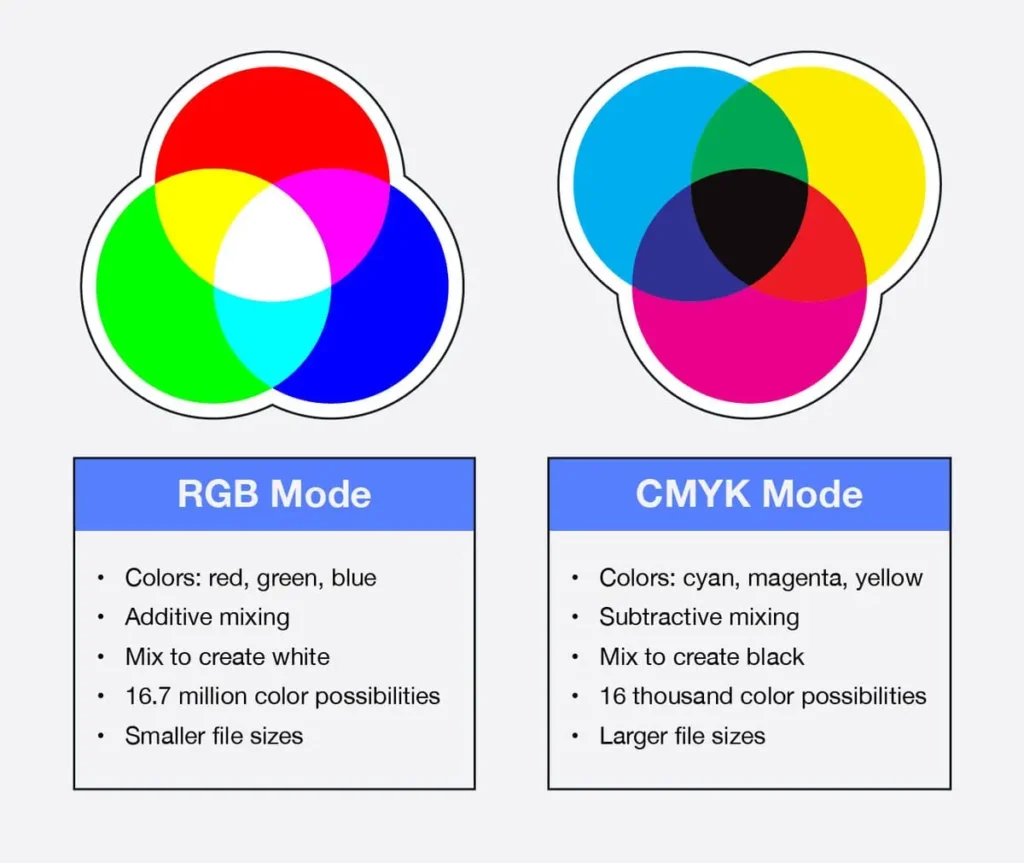
A design displayed on a monitor may not perfectly match the printed fabric because:
- Screens use light-based RGB colors
- Fabric printing uses ink or dye
- Different fabrics absorb colors differently
RGB vs CMYK for Fabric Printing
RGB
RGB is commonly used for:
- Digital artwork
- Online design
- Photography
CMYK
CMYK is commonly used for:
- Professional printing workflows
- Commercial production
However, many modern digital textile printers work with expanded color systems beyond traditional CMYK.
Before production, always consider:
- Fabric type
- Printing method
- Ink system
- Color expectations
For projects requiring precise brand colors, professional textile color standards can help improve consistency.
Step 5: Create a Seamless Pattern for Fabric Printing
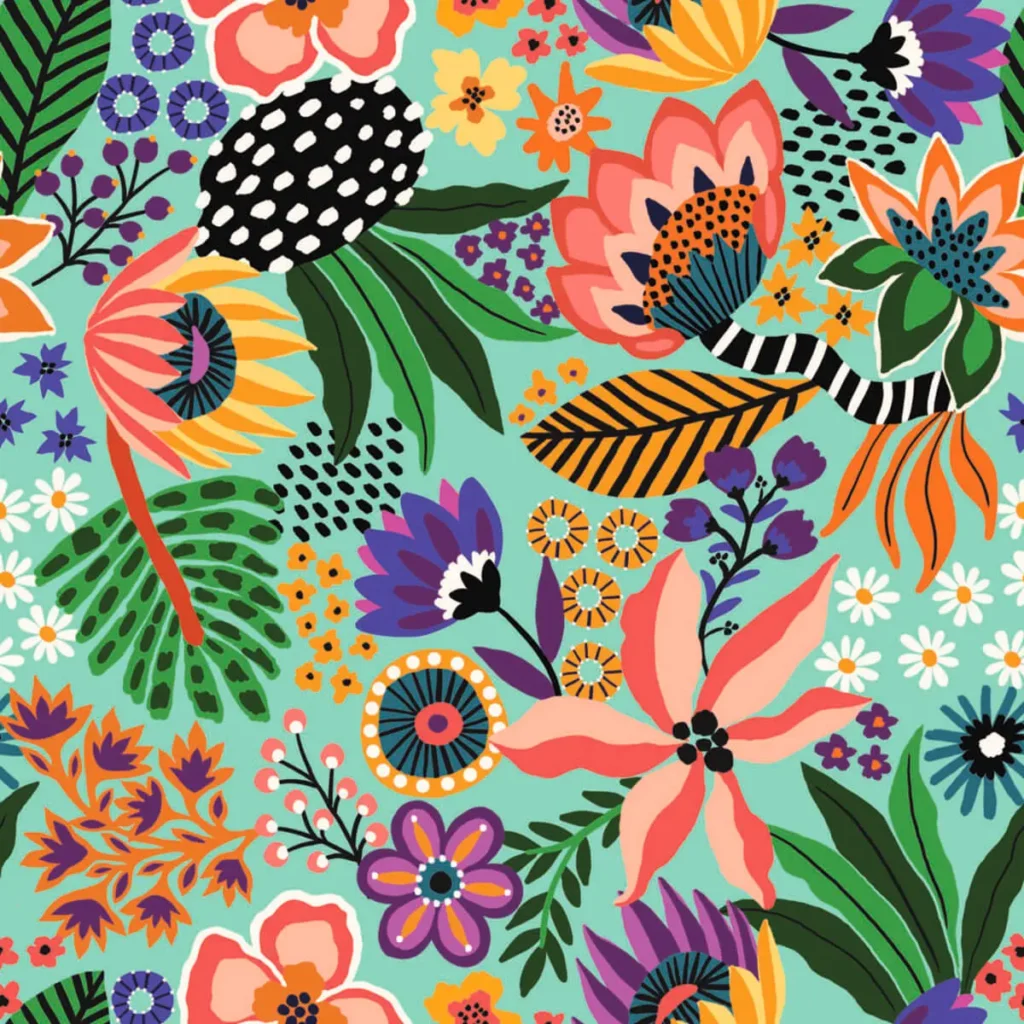
Many custom fabrics use repeating designs.
A seamless pattern allows artwork to continue smoothly across the entire fabric width.
Common repeat styles include:
Straight Repeat
The design repeats evenly in horizontal and vertical directions.
Best for:
- Simple patterns
- Geometric designs
Half Drop Repeat
The pattern shifts vertically between repeats.
Best for:
- Floral patterns
- Decorative textiles
Mirror Repeat
The artwork reflects alternately.
Best for:
- Creative patterns
- Fashion fabrics
When creating a seamless pattern:
- Check connection points
- Maintain consistent spacing
- Test the repeat before printing
A properly prepared repeat pattern creates professional-looking fabric.
Step 6: Consider Fabric Type Before Finalizing Artwork
The same artwork may look different depending on the fabric.
Different materials affect:
- Color brightness
- Texture appearance
- Print sharpness
- Final product feel
Examples:
Cotton
Suitable for:
- Apparel
- Quilting
- Baby products
Cotton provides a soft feel and natural appearance.
Cotton fiber properties influence fabric texture, appearance, and printing performance.
For more technical information about cotton characteristics and textile applications, CottonWorks provides professional textile resources.
Polyester
Suitable for:
- Sportswear
- Activewear
- Vibrant designs
Polyester often produces bright colors with excellent durability.
Linen
Suitable for:
- Premium fashion
- Home textiles
Linen creates a natural texture that influences the final appearance.
Fleece and Canvas
Suitable for:
- Blankets
- Bags
- Decorative products
The fabric texture becomes part of the design effect.
Choosing the right combination of artwork and fabric is essential for successful custom fabric printing.
Common Artwork Mistakes for Fabric Printing
Avoid these common problems before submitting your design.
1. Using Low-Resolution Images
Problem:
- Blurry prints
- Pixelated details
Solution:
Use original high-quality artwork.
2. Incorrect File Format
Problem:
- Difficult editing
- Poor printing results
Solution:
Provide professional formats such as AI, PSD, TIFF, or high-resolution PNG.
3. Ignoring Fabric Texture
Problem:
The printed result may look different from the screen.
Solution:
Consider how fabric structure affects color and detail.
4. Incorrect Pattern Repeat
Problem:
Patterns may not align correctly.
Solution:
Test the repeat before production.
5. Not Checking Print Size
Problem:
Artwork scale may be too large or too small.
Solution:
Review the design at actual fabric dimensions.
Artwork Checklist Before Fabric Printing
Before sending your file for production, check:
✅ High-resolution artwork
✅ Correct file format
✅ Proper color setup
✅ Pattern repeat tested
✅ Correct print size
✅ Suitable fabric selected
✅ Final application considered
Following this checklist can significantly improve the quality of your custom printed fabric.
Submit Your Artwork for Custom Fabric Printing
Once your artwork is prepared, the next step is turning your design into real fabric.
With digital textile printing, designers, brands, and businesses can create:
- Custom apparel fabrics
- Personalized home textiles
- Printed accessories
- Small-batch fabric collections
- Unique textile products
At JCWTextile, customers can upload their own designs and select suitable fabrics for custom textile production.
Start your project through our Design Your Fabric service and transform your artwork into professional printed textiles.
Conclusion
Preparing the right artwork for fabric printing is the foundation of creating high-quality custom textiles.
The most important factors include:
- Using high-resolution files
- Selecting the correct format
- Preparing accurate colors
- Creating seamless patterns
- Choosing the right fabric
With proper artwork preparation and modern digital textile printing technology, designers and businesses can turn creative ideas into unique printed fabrics for fashion, home décor, accessories, and more.
Related Guides
Learn More About Custom Fabric Printing
Discover the complete process of custom fabric production, including fabric selection, printing methods, applications, and ordering steps.
Learn how to transform your artwork into custom printed fabric from design preparation to finished textiles.
Compare different textile printing technologies and discover which method works best for different fabrics.
Explore cotton, polyester, linen, fleece, and other fabrics suitable for digital textile printing.
📚 Frequently Asked Questions (FAQs)
1. What file format is best for fabric printing?
The best file formats for fabric printing include AI, EPS, PSD, TIFF, PNG, and high-resolution JPG. Vector formats are ideal for logos, while high-resolution raster files work well for photographs and detailed artwork.
2. What resolution should artwork be for fabric printing?
Most fabric printing projects require artwork between 150 and 300 DPI depending on the design complexity and final application.
3. Should I use RGB or CMYK for fabric printing?
RGB is commonly used for digital artwork, while CMYK is used in many printing workflows. The best color setup depends on the printing technology, fabric type, and production requirements.
4. Can I print a JPG image on fabric?
Yes. High-resolution JPG images can be printed on fabric, especially for photographs and detailed artwork. The image quality should be checked before production.
5. How do I create a seamless pattern for fabric printing?
A seamless pattern is created by designing artwork that connects continuously when repeated. Common methods include straight repeat, half-drop repeat, and mirror repeat.
6. Can I use my own artwork for custom fabric printing?
Yes. Customers can use their own artwork, logos, photos, and patterns to create personalized printed fabrics.